A well-run home is supported by an astonishing amount of information.
Someone knows when the air filter was last changed, where the appliance warranty lives, which groceries are running low, when the pet needs another appointment, and whether the unfamiliar charge on the bank statement belongs to a household subscription.
When that information is scattered across memory, text messages, paper piles, inboxes, and several well-intentioned apps, ordinary upkeep becomes harder than it needs to be.
A home management system gives those details a dependable structure.
It does not require a decorative binder filled with pages you never revisit or a complicated digital dashboard that becomes another project to maintain. The most useful system is simple enough to use during a busy week and clear enough that another person could find what they need without asking you first.
The goal is not to manage every detail perfectly. It is to make the practical side of home easier to see, share, and maintain.

What Is a Home Management System?
A home management system is a collection of tools, routines, and reference information used to coordinate household life.
It may include:
- A shared calendar
- Recurring maintenance reminders
- Household records
- Shopping and supply lists
- Cleaning routines
- Service-provider information
- Repair and project tracking
- Emergency details
- Shared responsibilities
- Important account information
- Seasonal checklists
The system can be digital, physical, or a combination of both.
What matters is not the format. It is whether the system helps you answer three practical questions:
- What needs attention?
- When does it need to happen?
- Where is the information required to handle it?
If your system cannot answer those questions easily, it may be storing information without helping you manage it.
Begin With the Friction in Your Current Home
Before choosing an app, planner, or binder, notice where household management regularly becomes difficult.
Think about the previous month.
Where did you:
- Forget something important?
- Search for information?
- Buy an item you already had?
- Run out of something unexpectedly?
- Miss a maintenance task?
- Discover an expired document?
- Repeat a conversation?
- Carry a responsibility no one else could see?
- Feel unsure whether a task had been completed?
- Realize too late that an appointment required preparation?
Those moments reveal what your home management system needs to solve.
For example:
- If appointments regularly surprise you, improve the shared calendar.
- If documents are difficult to locate, create a clearer records system.
- If household supplies run out unpredictably, establish an inventory rhythm.
- If one person remembers everything, make ownership and recurring work visible.
- If repairs remain unfinished, create a home project tracker.
Build around real friction rather than an idealized version of household life.

Choose One Source of Truth for Each Type of Information
A home system becomes confusing when the same information lives in several places.
You do not need one tool for everything. You do need one agreed-upon home for each kind of information.
For example:
- Calendar: Appointments, events, deadlines, travel, and scheduled maintenance
- Task list: Actions that need to be completed
- Records folder: Documents, receipts, policies, warranties, and reference information
- Shopping list: Groceries and household purchases
- Maintenance tracker: Recurring home and vehicle care
- Household notes: Routines, contacts, sizes, preferences, and useful reference details
Write these decisions down.
A short “where things live” page can prevent the system from slowly fragmenting again.
If both digital and physical versions exist, define their roles. Your physical binder may hold quick-reference information, while original records remain in secure digital folders or a protected filing cabinet.
Avoid maintaining duplicate systems unless each has a clear purpose.
Decide What Should Be Digital and What Should Be Physical
Digital tools work especially well for information that needs to be:
- Shared
- Searchable
- Updated frequently
- Accessed away from home
- Connected to reminders
- Backed up
- Linked to other files
Physical systems work well for:
- Papers that arrive by mail
- Documents requiring signatures
- Quick-reference checklists
- Information used in a particular room
- Temporary household paperwork
- Items that need to leave the house
- People who genuinely prefer paper
A hybrid system often works best.
You might keep:
- A shared digital calendar
- Digital copies of warranties and receipts
- A physical inbox for incoming paperwork
- A printed emergency-information sheet
- A household task list in a shared app
- A small binder of frequently referenced home information
Do not choose a digital platform simply because it can hold everything. Choose it because the people involved will actually open and update it.

Build the Core of Your Home Management System
The following areas form a practical foundation. Begin with the ones that solve your most immediate problems, then add others gradually.
1. A Shared Household Calendar
The calendar should show time-specific commitments affecting the household.
Depending on your life, this may include:
- Appointments
- Work travel
- School dates
- Social plans
- Guests
- Deliveries
- Service appointments
- Payment deadlines
- Pet care
- Vehicle maintenance
- Prescription refills
- Birthdays
- Holidays
- Home projects requiring access
Use consistent naming.
“Appointment” offers very little context. “Dentist: Kayla, downtown office” is more useful. Include the address, confirmation details, preparation instructions, and travel time when relevant.
Create separate calendars or color categories only when they make the schedule easier to read. Too many colors can create a system that requires interpretation before it provides clarity.
Include Preparation, Not Just the Event
Many calendar problems are preparation problems.
A dinner party may require shopping and cleaning. Travel may require pet care and document checks. A home repair may require clearing the work area or being present for a delivery window.
Add preparation tasks before the event rather than expecting the event itself to remind you.
2. A Home Maintenance Calendar
Home maintenance is easier when it is scheduled before something stops working.
Create a list of recurring tasks and assign each one:
- Frequency
- Preferred month or season
- Person responsible
- Relevant instructions
- Supplies needed
- Service provider, if applicable
- Date last completed
- Next due date
Tasks may include:
- Replacing filters
- Testing smoke and carbon monoxide alarms
- Cleaning vents
- Servicing heating or cooling systems
- Checking plumbing
- Cleaning gutters
- Inspecting appliances
- Maintaining outdoor areas
- Reviewing pest control
- Testing emergency equipment
- Rotating seasonal supplies
- Servicing vehicles
The correct schedule depends on your home, equipment, climate, and manufacturer recommendations. Use official documentation and qualified professionals when determining maintenance requirements.
Do not keep every task in your active weekly list. Add reminders based on the actual frequency.
3. A Household Records System
Important documents should be easy to locate and appropriately protected.
Create broad categories such as:
- Home or lease
- Insurance
- Utilities
- Appliances
- Warranties
- Vehicle
- Taxes
- Medical
- Pets
- Identity and legal
- Employment and benefits
- Education
- Major purchases
Use predictable file names:
2026-09-home-insurance-renewal.pdf
2025-11-dishwasher-receipt.pdf
2026-03-car-service-record.pdf
Avoid names such as scan123, document-final, or IMG_4908.
For major purchases, save:
- Receipt
- Model and serial number
- Warranty information
- User manual
- Installation details
- Service history
- Photograph when useful
Store sensitive records securely. Use strong passwords, appropriate access controls, and reliable backups. A household system should make information easier to retrieve without making private details easier for the wrong person to access.
4. A Household Contacts List
Create one list of people and organizations you may need to contact.
Include:
- Property manager or landlord
- Building management
- Electrician
- Plumber
- Heating and cooling service
- Appliance repair
- Internet provider
- Utility companies
- Insurance contacts
- Veterinarian
- Emergency contacts
- Trusted neighbors
- Cleaning or landscaping services
- Vehicle service provider
- Locksmith
- Preferred healthcare providers
Record useful context, not only a name and phone number.
You might note:
- What service they provided
- Date last used
- Account or policy information
- Whether you would hire them again
- Availability or service area
- Relevant warranty coverage
Do not include sensitive login credentials in an ordinary contact list. Keep account access in a password manager.
5. An Inventory and Replenishment System
You do not need to count every object in your home.
Track items that create inconvenience when they run out, are expensive to replace unnecessarily, or require advance ordering.
This may include:
- Cleaning supplies
- Paper products
- Toiletries
- Pantry staples
- Pet supplies
- Medications
- Printer supplies
- Light bulbs
- Air and water filters
- Batteries
- Gift-wrapping supplies
- Frequently used office items
Choose a minimum level that triggers a purchase.
For example:
- Add dishwasher tablets to the list when one unopened package remains.
- Reorder pet food when the current container reaches a marked level.
- Replace the spare air filter immediately after using it.
- Add toothpaste when the final backup tube is opened.
The trigger matters more than the exact quantity.
Store backup items together whenever possible. A replenishment system is much harder to use when supplies are distributed across several rooms and no one knows the actual total.
6. A Cleaning and Reset Rhythm
A realistic cleaning system identifies what needs to happen and how often without turning the home into a permanent maintenance project.
Separate tasks by rhythm:
Daily
- Reset frequently used surfaces
- Handle dishes
- Put obvious items away
- Manage immediate spills or messes
Weekly
- Clean bathrooms
- Change linens
- Vacuum or mop
- Empty bins
- Review groceries
- Reset shared spaces
Monthly
- Clean less-accessible areas
- Review the refrigerator or pantry
- Wash selected textiles
- Address buildup in appliances
- Declutter one contained area
Seasonal
- Rotate clothing or equipment
- Deep-clean selected spaces
- Review donation items
- Wash or inspect seasonal textiles
- Prepare the home for weather changes
Your home, household size, pets, health needs, and preferences will determine the right frequency.
A useful routine supports the way you live. It should not exist only to meet an external standard of what a home is supposed to look like.
7. A Home Projects Tracker
Repairs, purchases, and improvement ideas often become one long list without priorities or next steps.
Create a simple tracker with:
- Project
- Room or area
- Reason
- Priority
- Estimated budget
- Next action
- Person responsible
- Target timing
- Status
- Relevant links or documents
Separate projects into categories:
Repair: Something is broken or unsafe.
Replace: An item no longer functions well enough.
Improve: A change would make the space work better.
Decorate: A primarily visual or atmospheric update.
This makes priorities clearer.
A leaking fixture and a new lamp may both appear on the home list, but they do not require the same timing.
Give each active project one next action. “Update guest room” is too broad. “Measure the wall above the dresser” can be completed.
Limit the number of active projects. A home with ten partially started improvements often feels more chaotic than one with a longer list and one project being completed at a time.
8. An Emergency and Essential Information File
Certain information should be accessible without searching through the entire household system.
Create a secure emergency reference containing appropriate details such as:
- Household address
- Emergency contacts
- Medical considerations
- Pet information
- Insurance contacts
- Utility shutoff locations
- Building or property contacts
- Alarm information
- Emergency service providers
- Evacuation or meeting plans
- Location of essential documents
- Instructions for accessing necessary supplies
Balance accessibility with privacy.
Do not display sensitive information where visitors or service providers can easily see it. Consider keeping a concise printed version in a secure but known location and a protected digital copy for authorized household members.
Review this file at least twice a year and whenever important details change.
9. A Household Decision List
Not every household task is actionable yet.
Sometimes the next step is a decision:
- Which internet plan should we choose?
- Should we repair or replace the appliance?
- When should we book the trip?
- Which room should we improve first?
- Do we still use this subscription?
- Should we hire help for this recurring task?
Keep decisions separate from tasks.
A task list containing “new sofa” does not explain what needs to happen. A decision list might say:
“Decide whether to replace sofa this year. Review budget, measure space, and compare three options by October 15.”
Record:
- The decision
- Information needed
- People involved
- Deadline
- Next conversation or research step
This prevents unresolved questions from appearing repeatedly without moving forward.

Make Invisible Work Visible
Household management includes more than completing tasks.
Someone has to notice the need, remember the timing, gather information, make decisions, and follow up. If that work remains invisible, responsibilities can appear evenly shared while one person still carries most of the planning.
List recurring household responsibilities and assign ownership.
Ownership should include the complete loop:
- Notice when the task is needed
- Plan it
- Complete or coordinate it
- Confirm it is finished
- Update the system
- Prepare for the next occurrence
For example, owning pet-care appointments means tracking when the next visit is due, scheduling it, arranging transportation, preparing questions, managing records, and adding follow-up instructions.
A shared task list helps, but the list alone does not distribute responsibility. Agree on who owns each area and what ownership includes.
Organize for Retrieval, Not Appearance
A beautifully designed system can still be difficult to use.
Test every part by asking:
- Could I find this in under two minutes?
- Would another household member know where to look?
- Is the file name understandable?
- Is the information current?
- Does the system tell me what happens next?
- Am I storing this because I need it or because I do not want to decide?
The purpose of organization is retrieval and action.
Use labels based on the words you naturally search. Create broad categories before narrow ones. Avoid building several levels of folders for a small number of documents.
If you repeatedly save items in the wrong place, the system may not match the way you think. Adjust it rather than expecting yourself to follow a structure that never feels intuitive.
Build the First Version in One Afternoon
Do not attempt to document your entire household history.
Create a useful first version in approximately two hours.
First 20 Minutes: Identify the Friction
List the household details you frequently forget, search for, or manage alone.
Choose the three areas creating the most difficulty.
Next 20 Minutes: Choose the Homes
Decide where the calendar, tasks, records, shopping list, and maintenance information will live.
Write a short map of the system.
Next 30 Minutes: Create the Core Structure
Set up:
- Shared calendar categories
- Main records folders
- Household task list
- Maintenance tracker
- Contacts page
Do not spend this time selecting fonts, icons, or decorative covers.
Next 30 Minutes: Add Current Information
Enter:
- Upcoming appointments
- Known maintenance dates
- Active household projects
- Important contacts
- Current shopping or supply needs
- Documents already waiting to be filed
Focus on active information, not every record you own.
Final 20 Minutes: Schedule Maintenance
Create recurring reminders for:
- Weekly household review
- Monthly financial and supply review
- Seasonal maintenance
- Emergency-file review
- System cleanup
A system without a review rhythm will gradually become another archive.
Maintain the System With Three Small Rhythms
Weekly
Review:
- The next two weeks
- Household tasks
- Shopping and supplies
- Appointments requiring preparation
- Paperwork and mail
- Waiting-for items
- Immediate home issues
Monthly
Review:
- Budget and household bills
- Subscriptions
- Upcoming maintenance
- Active home projects
- Documents needing filing
- Inventory of important supplies
- Next month’s schedule
Seasonally
Review:
- Home maintenance
- Emergency information
- Insurance or document dates
- Clothing and equipment
- Donation items
- Outdoor needs
- Travel or holiday preparation
- Projects for the coming season
Attach these reviews to existing routines when possible. A monthly budget review can include subscriptions and household projects. A seasonal closet change can include donation items and weather preparation.
What Not to Put in Your Home Management System
Not every piece of household information needs to be tracked.
Avoid filling the system with:
- Details you never retrieve
- Duplicates stored without a reason
- Highly sensitive information in an insecure location
- Routines no one intends to follow
- Inventories that take longer to maintain than they save
- Aspirational schedules unrelated to your actual life
- Decorative pages without a practical purpose
- Tasks with no owner or timing
- Every possible future project
Begin with the information that reduces friction.
Add new sections only when a recurring need appears.
Your Home Management System Checklist
A practical system may include:
- Shared household calendar
- Task list
- Shopping and replenishment list
- Maintenance schedule
- Household contacts
- Secure records folders
- Appliance and warranty information
- Cleaning rhythm
- Home project tracker
- Decision list
- Emergency information
- Clear responsibility ownership
- Weekly review
- Monthly review
- Seasonal review
- A simple guide showing where everything lives
You may not need every component immediately.
Choose the smallest system that gives the household greater clarity, then improve it through use.
A Home Feels Calmer When Its Details Have a Place
A home management system cannot prevent every repair, schedule change, or last-minute need.
It can reduce how often routine responsibilities become emergencies because no one knew where the information lived or when the task was due.
The value is not in having a perfect binder, dashboard, or filing cabinet. It is in being able to locate what you need, see what is coming, and share the work more clearly.
That is the quiet infrastructure of home. Mostly invisible when it works, but deeply felt in the ease it creates.
If you are ready for the practical side of life and work to feel more considered, explore Reverie Maven’s resources and services for thoughtful systems that bring greater clarity to the details behind your days.
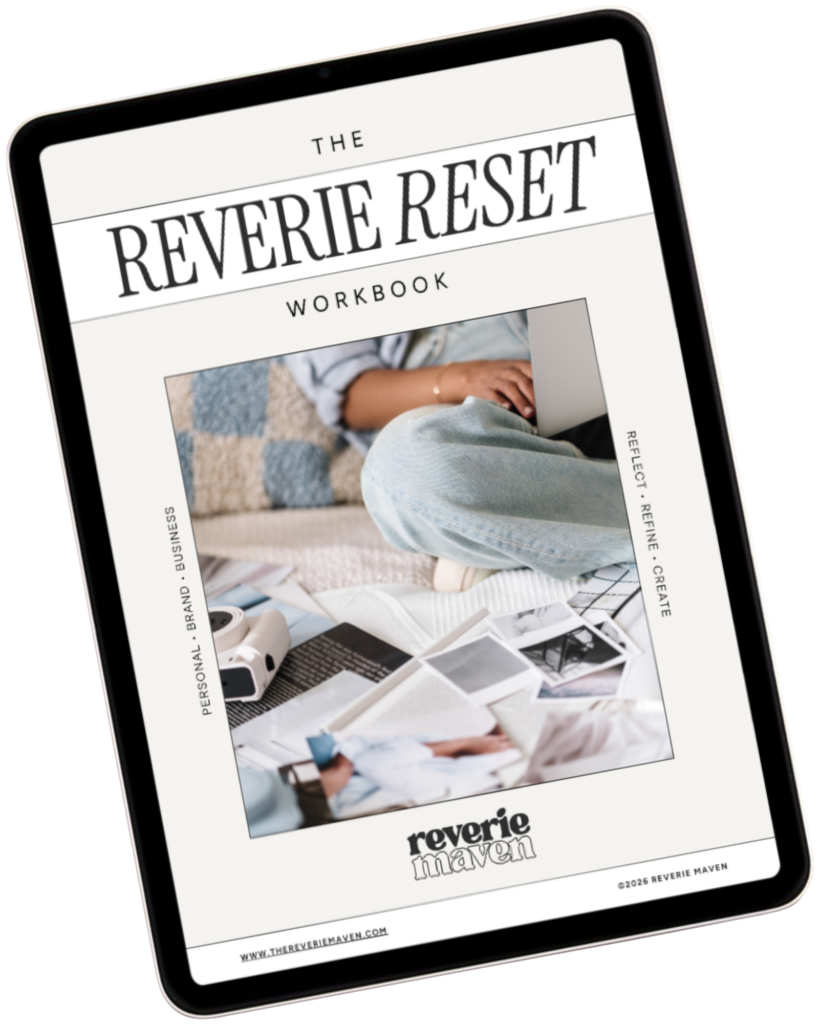
YOUR FREE STARTING POINT
Start with The Reverie Reset
A reflective workbook for reconnecting with yourself, getting clearer about what you genuinely want, and beginning to create a life and presence that feel more aligned, intentional, and fully your own.
Consider this your first step out of “someday” and toward what comes next.