A small digital product can be one of the most useful additions to a creative business.
It can turn an idea you explain repeatedly into something people can use on their own. It can introduce potential clients to your thinking before they are ready to hire you. It can generate revenue without requiring you to build an enormous course, complicated membership, or sprawling resource library.
The appeal is obvious. The execution is where many good ideas become unnecessarily difficult.
A small product is often treated as a miniature version of a larger one. The creator takes everything she knows about a subject, compresses it into a workbook or template, chooses an accessible price, and hopes the convenience will be enough to make it desirable.
But people rarely buy a digital product because it contains a respectable quantity of information. They buy because it helps them do something specific.
If you want to create a small digital product people actually want to buy, begin with the moment they need help, not the file you feel like making.
What Counts as a Small Digital Product?
A small digital product is a focused, self-guided resource designed to help someone complete a defined task, make a decision, or achieve a useful result.
It might be:
- A workbook
- A planning template
- A spreadsheet or calculator
- A checklist
- A swipe file
- A mini-guide
- A prompt collection
- A short workshop or masterclass
- A collection of editable templates
- A process map
- A curated toolkit
- A brief email course
- A project planner
- A client-facing resource
“Small” refers to the scope, not the quality.
The product should solve a narrower problem than a full program or service. It should still feel complete within that boundary. A focused resource that does one job beautifully is more valuable than a crowded bundle that gives the buyer another folder to organize.
Begin With a Moment of Need
Broad topics create vague products.
“Branding,” “content creation,” “productivity,” and “launching” may describe areas of interest, but they do not reveal what a buyer is trying to accomplish at a particular moment.
Look for situations with a clear before and after:
- She needs to organize the moving pieces of a launch.
- She is preparing for a brand photoshoot and does not know what to plan.
- She wants to turn a service into a polished package.
- She needs to write a welcome sequence for new subscribers.
- She has too many content ideas and no way to choose which ones deserve her attention.
- She is onboarding her first client and wants the process to feel professional.
- She is comparing several business ideas and needs a way to evaluate them.
These moments are productive because they already contain urgency, context, and a desired next step.
Instead of asking, “What could I make about marketing?” ask:
What is my audience trying to finish, decide, organize, or improve when she starts looking for help?
That question moves the product away from general education and toward practical usefulness.
Choose One Job for the Product
A focused digital product needs one primary job.
Your product might help the buyer:
- Make a decision
- Create an asset
- Plan a project
- Complete a repeatable process
- Organize information
- Evaluate her work
- Save time on setup
- Avoid a predictable mistake
- Prepare for a larger investment
Choose one.
A launch-planning workbook, for example, might help someone map a six-week timeline. It does not also need to teach brand strategy, copywriting, email marketing, pricing, paid advertising, and post-launch analytics.
Those subjects may be relevant to launching, but relevance alone does not earn them a place in the product.
Complete this sentence:
This product helps [specific person] accomplish [specific task or result] without [specific frustration].
For example:
This product helps solo service providers map a realistic launch schedule without building the entire campaign from scratch each week.
That statement gives you a filter. If a section does not help fulfill the promise, it probably belongs somewhere else.
How to Create a Small Digital Product From Evidence, Not Guesswork
You do not need a formal research project before creating a modest digital resource. You do need some indication that the problem exists outside your imagination.
Start with the evidence already available to you.
Review:
- Questions clients ask before, during, and after working with you
- Tasks you repeatedly explain in emails or calls
- Blog posts that attract consistent traffic
- Newsletter links readers click
- Social posts that receive saves, replies, or thoughtful questions
- Search terms bringing people to your website
- Requests for resources you do not currently offer
- Parts of your service process clients find especially valuable
- Problems people describe in their own words
Look for repetition.
One question may be interesting. The same question appearing across client conversations, search data, and content engagement is a more useful signal.
Ask about behavior, not hypothetical enthusiasm
If you speak directly with potential buyers, avoid relying on questions such as, “Would you buy this?”
People are generous with encouragement, particularly when an idea sounds pleasant in theory. Their previous behavior gives you better information.
Ask:
- How are you handling this now?
- What part takes the most time?
- What have you already tried?
- Where does the process usually break down?
- What would make this easier to complete?
- Have you paid for help with this before?
- What would you want to have finished by the end?
The goal is not to persuade them. It is to understand the problem well enough to build something useful.
Define the Smallest Complete Result
There is an important difference between a small product and an incomplete one.
An incomplete product contains a few fragments of information and leaves the buyer to invent the process connecting them. A small but complete product guides her from a clear starting point to a defined finish.
Imagine you are creating a brand-photoshoot planning kit.
The smallest complete result might be:
The buyer finishes with a clear shot list, visual direction, prop plan, and schedule she can send to her photographer.
That product does not need to teach photography, personal styling, advanced art direction, or image editing. It does need to include everything necessary to produce the promised plan.
Before creating the product, define:
- What the buyer has at the beginning
- What she should have at the end
- Which decisions she must make along the way
- What information she needs to make those decisions
- Which tools would make the process easier
- What is intentionally outside the scope
Scope becomes much easier when the finished result is visible.
Choose the Format Based on How the Product Will Be Used
Do not choose a format because it is currently popular or because you already own a beautiful template for it.
Choose the format that supports the buyer’s task.
Use a checklist when sequence and completion matter
Checklists work well for setup, preparation, quality control, and repeatable routines. They are less effective when the buyer needs substantial explanation or strategic judgment.
Use a workbook when reflection and decision-making matter
A workbook can guide someone through questions, exercises, and choices. Keep the prompts purposeful. Empty writing space does not automatically create value.
Use a template when the buyer needs a starting structure
Templates are helpful for content calendars, project plans, client documents, emails, presentations, and workflows. Include enough guidance that the buyer understands how to adapt the structure.
Use a spreadsheet when calculation, comparison, or tracking matters
Spreadsheets are useful for budgets, pricing, timelines, inventories, content tracking, and decision matrices. Protect formulas where appropriate and include clear instructions.
Use a short workshop when demonstration matters
A concise video lesson works well when the buyer needs to see a process, hear your reasoning, or watch a tool in use. Avoid turning a simple reference resource into hours of video merely to make it feel substantial.
Combine formats only when each one has a distinct purpose
A guide, template, and demonstration video can work beautifully together if they support different parts of the same result.
If all three repeat the same information, the product becomes heavier without becoming more helpful.
Design the Product Around Use, Not Consumption
A digital product does not succeed because the buyer reads every page. It succeeds when she uses it to make progress.
Organize the content around action:
- Orient the buyer.
- Explain the relevant concept.
- Help her make a decision.
- Give her a tool for applying it.
- Show an example.
- Tell her what to do next.
Where possible, replace abstract instruction with practical support.
Instead of only explaining how to choose launch content themes, include:
- A decision framework
- Several completed examples
- A planning page
- A method for narrowing ideas
- A final content map
The explanation matters. The bridge between understanding and doing is what makes the product valuable.

Make the Instructions Feel Like Part of the Product
Digital products often look polished while their instructions feel like an afterthought.
The buyer receives a folder containing multiple files, unexplained links, duplicate versions, and a document titled “START HERE” that raises more questions than it answers.
A thoughtful customer experience should clarify:
- What is included
- Which file to open first
- What each component is for
- Whether software or accounts are required
- How to make a personal copy
- Which elements can be edited
- How long the process may take
- Where to find help
- What to do after finishing
Test every link and instruction from the perspective of someone who did not create the product.
Familiarity hides gaps. What feels obvious to you may be the exact place a customer gets stuck.
Give the Product a Specific, Desirable Name
A clever name can add personality, but clarity should arrive before intrigue.
If the title does not explain the product, pair it with a descriptive subtitle.
For example:
The Launch Edit
A six-week planning workbook for organizing your offer, content, emails, and launch schedule.
The name creates character. The subtitle explains what the buyer is getting.
Useful product titles often reference:
- The task
- The result
- The format
- The intended buyer
- The moment of use
Avoid language so broad that it could describe almost anything. “The Ultimate Business Bundle” sounds substantial but gives the buyer little information. “The Client Onboarding Starter Kit” is narrower and easier to evaluate.
Price the Result, Context, and Convenience
Page count is not a pricing strategy.
A concise spreadsheet that prevents an expensive mistake may be worth more than a 70-page guide filled with information the buyer could find elsewhere. A simple template used every week may deliver more value than a beautifully designed workbook opened once.
Consider:
- The importance of the problem
- How frequently the product can be used
- The time it saves
- The decisions it simplifies
- The quality of the examples and guidance
- The specificity of the audience
- The alternatives available
- Whether support or updates are included
- How it fits beside your other offers
Small products do not always need to be low-priced. They do need a price that makes sense within the customer’s situation and the rest of your business.
Avoid inflating the bundle to justify the price. More bonuses can make the offer harder to understand and harder to use.
Strengthen the core result first.
Write a Product Page That Helps Someone Decide
A small digital product still deserves a complete sales page.
The page does not need to be long. It needs to answer the buyer’s practical questions.
Include:
- What the product helps her accomplish
- Who it is designed for
- The situation that makes it useful
- What is included
- How each component helps
- What she will have when she finishes
- The format and delivery method
- Any software requirements
- What is not included
- Frequently asked questions
- The price
- A clear purchase button
- Relevant policies
Show the product in context. Mockups are helpful, but screenshots, sample pages, or a short walkthrough often make the resource easier to understand.
Describe the result with precision. Avoid promising a sweeping transformation from a deliberately small product.
Credibility comes from matching the promise to what the product can genuinely deliver.

Test the Product Before Building an Elaborate Launch
A small digital product creates an opportunity to learn without making the launch unnecessarily large.
You might begin with:
- A small beta group
- A private invitation to existing subscribers
- Early access for previous clients
- A limited founding release
- A live workshop that later becomes self-guided
- A simple presale with a transparent delivery date
Watch how people use the product.
Where do they pause? Which questions appear repeatedly? What do they complete first? Which parts do they describe as most useful? Do they reach the intended result?
This feedback is more valuable than adding features in isolation.
Refine the instructions, examples, structure, or positioning before investing in a complicated funnel or major promotional campaign.
Launch the Product With One Strong Message
A focused product should produce focused marketing.
Your launch message needs to connect four things:
- The moment the buyer recognizes
- The result she wants
- The method or resource you created
- The next step
For example:
If planning a launch currently means collecting notes across five apps and hoping nothing gets forgotten, this workbook gives you one place to map the timeline, messages, content, and essential tasks.
That message is more useful than announcing that a new PDF is available.
Build the campaign around the problem, the process, the result, and the product experience. You do not need to invent a new theme every day.
One clear idea can become:
- A blog post
- A newsletter
- A Pinterest pin
- A short social post
- A behind-the-scenes explanation
- A product demonstration
- An FAQ
- A customer example
- A launch email
Consistency gives the audience enough time to understand the offer.
Give the Product a Place in Your Offer Ecosystem
A small digital product should not feel like a random item added to your shop.
Consider what comes before and after it.
A customer might discover the product through a blog post, use it to complete an initial step, and later decide she wants personalized support. Another person may purchase it after working with you because she wants a reusable version of your process.
A well-placed small product can serve as:
- An accessible introduction to your approach
- Preparation for a service
- Support between client engagements
- A companion to a larger offer
- A standalone solution for a focused need
- A way to test demand for future work
The product should lead somewhere logical, even if the buyer never purchases anything else.
Do not force an artificial funnel. Build a coherent path.
Know When the Product Is Ready
A small digital product is ready to launch when:
- The intended buyer is clear.
- The product solves one defined problem.
- The promised result fits the format.
- The buyer can complete the process without guessing.
- The instructions have been tested.
- Every included component has a purpose.
- The product page explains what the buyer is receiving.
- The checkout and delivery experience work properly.
- You know how the product fits within your business.
- You can describe its value in a few specific sentences.
It does not need to contain every idea you have.
In fact, restraint is often part of the value.
A strong small digital product respects the buyer’s attention. It gives her the right information, structure, and support for the task in front of her, then lets her get on with doing it.
If you would like help shaping a focused offer, refining its positioning, or creating a thoughtful path from idea to launch, explore Reverie Maven’s services to find the support that fits your next project.
YOUR FREE STARTING POINT
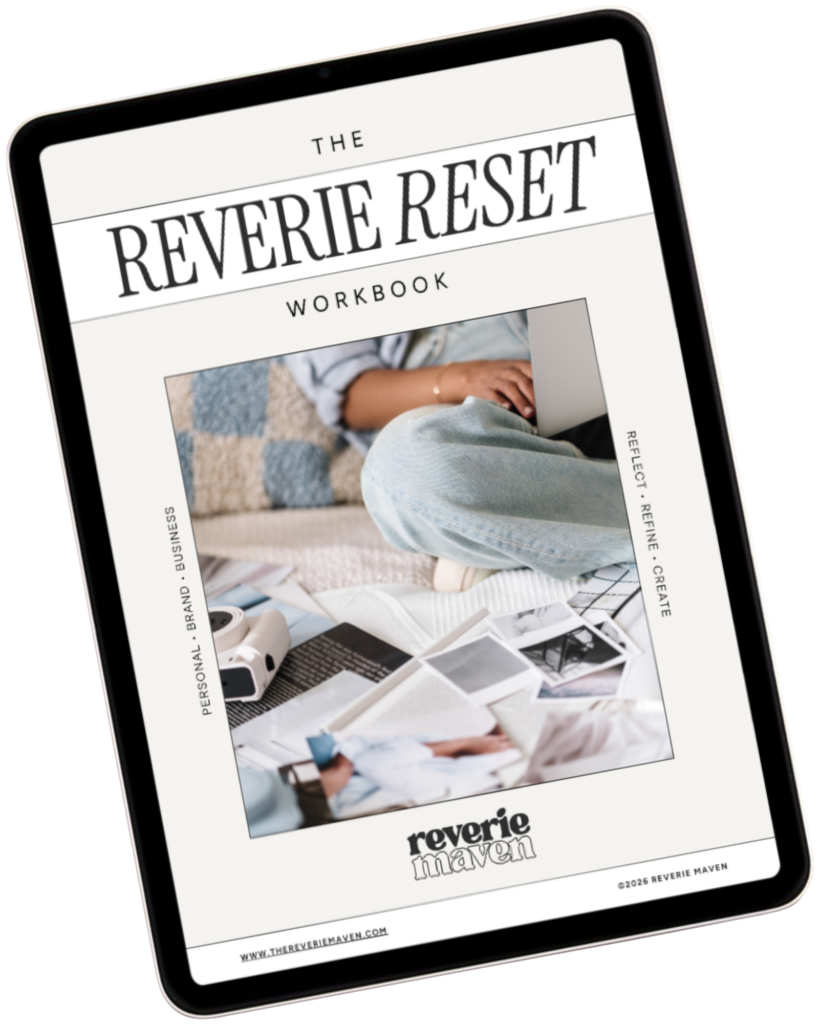
Start with The Reverie Reset
A reflective workbook for reconnecting with yourself, getting clearer about what you genuinely want, and beginning to create a life and presence that feel more aligned, intentional, and fully your own.
Consider this your first step out of “someday” and toward what comes next.