Your website looks polished. Your services are listed. The contact form is live.
Still, the inquiries are not coming.
It is tempting to assume the entire website needs to be redesigned, especially when you have spent enough time looking at it to become suspicious of every font, photograph, and sentence. But a beautiful website not getting inquiries is not always a design problem.
It may be a traffic problem. A messaging problem. A trust problem. A friction problem. Sometimes the right visitors are arriving, but the site is not giving them enough clarity or confidence to act. Sometimes the website is doing its job perfectly well, but too few qualified people are seeing it.
Before changing everything, identify where the path is breaking.

First, Determine Whether You Have a Traffic or Conversion Problem
Traffic and conversion are related, but they require different solutions.
A traffic problem means too few relevant people are reaching the website.
A conversion problem means people are visiting, but they are not taking the next step.
Begin with a simple review of your website analytics, inquiry records, and recent marketing activity.
Ask:
- How many people are visiting the website?
- Where are they coming from?
- Which pages do they enter through?
- Are they viewing the services or sales page?
- Are they reaching the contact page?
- Are they beginning or completing the inquiry form?
- Did traffic change after a recent promotion, post, feature, or collaboration?
- Are the visitors likely to be a fit for the offer?
You do not need an elaborate dashboard. You need enough information to locate the drop-off.
If very few people visit the services page, improving the inquiry form will not solve the primary problem. If plenty of qualified visitors reach the contact page but do not submit the form, increasing traffic may simply send more people into the same point of friction.
Find the stage that needs attention before choosing the fix.
Your Website Is Attracting the Wrong Visitors
High traffic can look encouraging while producing little business value.
A blog post, pin, or social post may attract people who enjoy the topic but have no need for the service. A free resource may appeal to beginners while your paid offer is designed for established business owners. A visually popular post may circulate widely without connecting to what you sell.
Review the pages bringing people to your website and ask whether they create a natural path toward your offer.
Consider:
- What was the visitor searching for?
- Which problem brought them to the site?
- Does your business help with that problem?
- Is there a relevant next step on the page?
- Does the content attract the same audience as the service?
- Is the visitor likely to need the offer now, later, or not at all?
Content does not have to sell directly to be valuable. It can build recognition, trust, and search visibility over time. But if most of your traffic comes from topics unrelated to your offers, the website may be receiving attention without receiving qualified interest.
Create stronger connections between useful content and relevant services. Add contextual calls to action, recommend a related article, or invite the reader to a resource that continues the relationship.
The transition should feel helpful rather than inserted for the sake of promotion.
The First Screen Does Not Explain Enough
A homepage can be elegant and still leave visitors unsure about what the business does.
Review the first screen without scrolling. It should provide enough context to answer four questions:
- What do you offer?
- Who is it for?
- What value does it provide?
- What should the visitor do next?
A statement such as “Create a life and business you love” may be emotionally appealing, but it does not identify the service or explain why this particular business is equipped to help.
Pair expressive brand language with practical information.
For example:
Headline: Make your online presence feel as polished as your work.
Supporting copy: Strategic website and digital brand support for creative service providers ready for a clearer, more cohesive presence online.
Button: Explore the Services
The supporting sentence does not need to communicate the entire business. It simply needs to orient the visitor.
If the first section focuses on your philosophy, biography, or aesthetic before establishing what is available, rearrange the page. Relevance should come before the longer story.
The Offer Is Difficult to Understand
Visitors cannot inquire confidently about an offer they do not understand.
Your services page may contain beautiful language while leaving practical questions unanswered:
- What is this?
- Who is it designed for?
- What does it include?
- What kind of problem does it address?
- What happens during the process?
- How long does it take?
- What is expected from the client?
- What does the investment look like?
- How do I know which service fits?
- What happens after I inquire?
You do not have to publish every detail or remove all nuance from a customized service. You do need to give potential clients enough information to recognize themselves in the offer.
Replace broad claims with specifics.
Instead of:
“A high-touch experience designed to elevate your business.”
Try:
“A four-week website strategy and copy experience for established service providers whose current site no longer reflects the quality of their work.”
The second description creates a clearer picture of the service, audience, timeline, and reason to buy.
Make Similar Offers Easier to Compare
If you offer several services, explain the difference between them.
Two packages may look distinct to you because you created them, but a visitor may see similar names, overlapping descriptions, and no obvious reason to choose one over the other.
A short comparison can clarify:
- Best fit
- Scope
- Timeline
- Level of support
- Primary outcome
- Starting investment
You can also add a sentence beneath each offer:
“Choose this if you already have a clear brand and need focused website support.”
“Choose this if your positioning, messaging, and visual direction need to be developed together.”
The easier it is to identify the right starting point, the easier it is to inquire.
The Call to Action Is Too Vague
A call to action should tell the visitor what to do and prepare them for what happens next.
Generic buttons such as “Learn More” or “Get Started” can work when the surrounding context is unmistakable. They become less useful when the visitor encounters several offers, pages, or possible actions.
More specific calls to action include:
- Explore the Signature Service
- View the Complete Process
- Check Current Availability
- Submit a Project Inquiry
- Book a Consultation
- Join the Waitlist
- Download the Planning Guide
The button label and destination should agree. “Book Now” should not lead to a general contact page with no booking option. “View Pricing” should not lead to a page that requires an inquiry before showing any pricing information.
Place calls to action where the visitor has enough information to respond. Include one near the top for people who arrive ready to act, then repeat it after important decision-making sections.
Do not make every button compete equally. Choose one primary action for each page and give secondary links a quieter visual treatment.
You Are Asking for Commitment Too Soon
Not every interested visitor is ready to complete a detailed inquiry form.
Someone may understand the value of your work but still need to learn more about your approach, see examples, or consider the timing. If the only available action is “Book a Call,” you may lose people who are interested but not yet ready for a conversation.
Create smaller ways to continue.
Depending on the business, that might include:
- Joining an email list
- Downloading a relevant resource
- Reading a case study
- Viewing a portfolio
- Exploring frequently asked questions
- Following a thoughtfully curated content path
- Joining a future-offer waitlist
This is not about surrounding the visitor with endless options. It is about recognizing different levels of readiness.
The primary service page can still lead clearly toward inquiry. A quieter secondary invitation gives thoughtful prospects a way to remain connected without forcing a premature decision.
The Website Has a Trust Gap
An inquiry requires more than interest. It requires enough confidence to begin a conversation.
Potential clients may hesitate when a website does not provide evidence that the business is active, experienced, or prepared to deliver what it promises.
Trust can be supported through:
- Relevant testimonials
- Portfolio work
- Case studies
- A clear process
- Specific service information
- Current photographs
- A thoughtful About page
- Accurate contact information
- Professional policies
- Frequently asked questions
- Consistent details across other platforms
Place evidence near the claim it supports.
If a service page promises a highly organized experience, include a testimonial that speaks to clarity, communication, or process. If you describe your work as strategic, use a case study to show the thinking behind a project rather than presenting only the final visuals.
Specificity matters. A testimonial saying “She was amazing!” communicates enthusiasm. A testimonial explaining what changed, how the experience felt, or why the work was valuable provides stronger context.
Trust also depends on what is absent. Broken links, outdated dates, placeholder text, missing page titles, low-quality images, and inconsistent offer names can create doubt even when the core service is excellent.
The Inquiry Process Contains Too Much Friction
A contact form is not automatically easy to use simply because it works.
Open your inquiry page on a phone and move through it as a potential client.
Look for friction such as:
- Too many required questions
- Questions that repeat information already requested
- Large open-ended fields without guidance
- No indication of the expected time commitment
- Unclear budget ranges
- A form that is difficult to use on mobile
- A submit button that is easy to miss
- No confirmation after submission
- No information about response time
- A scheduler that displays no suitable availability
- An automated reply containing outdated details
Every question should have a purpose.
You may need enough information to determine fit, prepare for a consultation, or recommend the right service. You probably do not need the client’s complete brand history before deciding whether to answer the inquiry.
Collect what is necessary for the next decision, not everything you might eventually want to know.
After submission, tell the visitor what happened:
- Confirm that the inquiry was received.
- State when they can expect a response.
- Explain the next step.
- Provide an alternative contact method if appropriate.
- Send a copy or confirmation email when useful.
A thoughtful final message prevents someone from wondering whether the form worked.
Your Pricing Creates Unnecessary Uncertainty
Publishing exact prices is not the right choice for every service. Customized work may vary considerably, and some businesses need a conversation before providing an accurate proposal.
Even when exact pricing is unavailable, the website can offer useful context.
Consider including:
- A starting investment
- A typical range
- Package tiers
- The factors that affect pricing
- Payment-plan availability
- What is included in the fee
- The level of business or project the offer suits
Completely withholding financial context can create avoidable hesitation. Potential clients may assume the service is far outside their budget, or they may inquire without any idea of the expected commitment.
If you do not share prices publicly, make the next step especially clear. Explain when pricing is provided and what information you need to prepare it.
Clarity helps both sides decide whether a conversation makes sense.
The Site Looks Polished but Feels Impersonal
A highly refined website can occasionally remove so much personality that the visitor struggles to feel a connection.
This is especially relevant for founder-led businesses where the client will work closely with the person behind the brand.
Professional does not have to mean distant.
You can create connection through:
- A distinct and natural writing voice
- Current photographs of the founder
- A thoughtful explanation of your perspective
- Specific values expressed through actions
- Process details that reveal how you work
- Selective personal details
- Clear opinions about what creates good work
- Warm, direct communication
Avoid adding personality through vague declarations alone. “I value authenticity” tells the visitor less than an example of how that value shapes your process.
You might explain why you limit the number of projects accepted at once, how you prepare clients for collaboration, or what you believe a polished brand experience should accomplish.
The goal is not to share everything. It is to let the visitor sense the person and judgment behind the service.
The Mobile Experience Is Quietly Losing People
A website may look excellent on a large screen and become difficult to use on a phone.
Because many visitors arrive through social media, email, or mobile search, check the entire inquiry path on an actual device.
Review:
- Homepage introduction
- Navigation menu
- Services page
- Testimonials
- Pricing information
- Calls to action
- Contact page
- Inquiry form
- Confirmation message
- Scheduling page
Look for headlines that wrap awkwardly, buttons that sit too close together, forms that require constant zooming, images that crop out important details, and pop-ups that block the page.
Pay attention to page length as well. A service page that feels balanced on desktop may become an exhausting column on mobile. Shorten repetitive sections, use clear headings, and place a call to action before the visitor has to scroll through the entire page.
A mobile visitor should not receive a lesser version of the experience.
The Website Is Too Slow or Something Is Broken
A conversion problem can be technical rather than strategic.
Test the website while logged out and, if possible, on a different device or internet connection.
Check:
- Page-loading behavior
- Navigation
- Forms
- Scheduling tools
- Payment or checkout links
- Email signup forms
- Download delivery
- Pop-ups
- Embedded videos
- Social links
- Automated confirmations
- Thank-you pages
Submit the inquiry form yourself. Do not assume it works because the success message appears. Confirm that the submission reaches the correct inbox and does not land in an unexpected folder.
Review notification settings whenever team access, email providers, form tools, or website platforms change. A perfectly written inquiry cannot become a client relationship if no one receives it.
Large images, unnecessary animations, and excessive third-party features can also make the experience feel slow. Keep what contributes meaningfully to the page and remove what delays the visitor without improving understanding.
The Website Has No Reliable Source of Qualified Traffic
Sometimes the website is not getting inquiries because the website is rarely being discovered.
Publishing the site is not the same as distributing it.
A sustainable traffic strategy might include:
- Search-focused blog content
- An email newsletter
- Social media
- Referral relationships
- Podcast or press features
- Guest contributions
- Local search
- Strategic collaborations
- Direct outreach
- Speaking or events
You do not need to pursue every channel. Choose one or two that align with how your audience searches, learns, and makes decisions.
Then connect those channels to the website intentionally.
A social post should lead to a relevant article, resource, or service rather than directing everyone to a generic homepage. A blog post should offer a useful next step. A podcast bio should link to a page designed for new visitors rather than a crowded menu of unrelated options.
Traffic becomes more valuable when the source, message, and destination belong to the same conversation.

Diagnose the Inquiry Path From Beginning to End
To understand why your website is not getting inquiries, follow the complete journey as though you are encountering the business for the first time.
Step 1: Begin at the Source
Start with a search result, social profile, referral link, blog post, or email.
Does the message match what you find on the website?
Step 2: Review the Landing Page
Can you understand the page without prior context? Is there a clear path forward?
Step 3: Explore the Offer
Does the service page provide enough information to determine fit? Are the differences between offers clear?
Step 4: Look for Evidence
Can you find relevant work, testimonials, process details, or other reasons to trust the business?
Step 5: Take the Next Step
Is the call to action easy to find and accurately labeled?
Step 6: Complete the Form
Does the inquiry process feel proportionate, current, and comfortable on mobile?
Step 7: Review the Confirmation
Do you know the message was received and what will happen next?
Record every moment that creates confusion, hesitation, or extra effort. Those moments form your improvement list.
For a more objective view, ask someone unfamiliar with the business to complete the same exercise. Give them no explanation beforehand. Their questions will show you which pieces of context currently exist only in your head.
What to Fix First When Your Website Is Not Getting Inquiries
Do not begin with the prettiest problem.
Prioritize improvements in this order:
1. Function
Fix broken forms, links, booking tools, downloads, menus, and mobile elements.
2. Accuracy
Correct outdated services, prices, dates, availability, names, and contact information.
3. Clarity
Improve the homepage message, offer descriptions, calls to action, and inquiry instructions.
4. Trust
Add relevant evidence, process details, current imagery, and useful answers to common questions.
5. Traffic
Strengthen the path from search, content, email, referrals, or social platforms to the offer.
6. Visual Refinement
Adjust typography, spacing, colors, imagery, and layout once the underlying experience makes sense.
Visual polish matters. It simply works best when it is supporting a clear, functional path rather than decorating a confusing one.
Give the Changes Enough Time to Teach You Something
After making improvements, note the date and monitor what happens.
Avoid changing the headline, offer structure, form, traffic strategy, and pricing presentation all at once unless the website is fundamentally inaccurate. When too many variables change together, it becomes difficult to understand what helped.
Track a few meaningful signals:
- Visits to the service page
- Clicks on the primary call to action
- Visits to the contact page
- Form starts and completions when available
- Number of qualified inquiries
- Inquiry source
- Service requested
- Questions prospects continue to ask
Look for patterns rather than immediate reassurance.
A low-volume, high-investment service may not produce enough inquiries for rapid conclusions. Qualitative information still matters. The language people use in inquiries, the questions they ask, and the pages they mention can reveal whether the website is attracting and preparing the right visitors.
A Better Website Creates a Clearer Decision
A website does not generate inquiries simply because it is beautiful.
It generates inquiries when the right people can find it, understand the offer, trust the business, and take the next step without unnecessary uncertainty.
That is encouraging, because it means a quiet website is not automatically a failed website. It is a path that needs to be examined.
Find the point where visitors stop. Fix what is broken, inaccurate, or unclear before focusing on cosmetic refinements. Then build a more intentional connection between the places people discover your business and the page where they are invited to work with you.
If your website looks polished but still is not creating the clarity or momentum your business needs, explore Reverie Maven’s services for thoughtful support refining your online presence and the experience behind it.
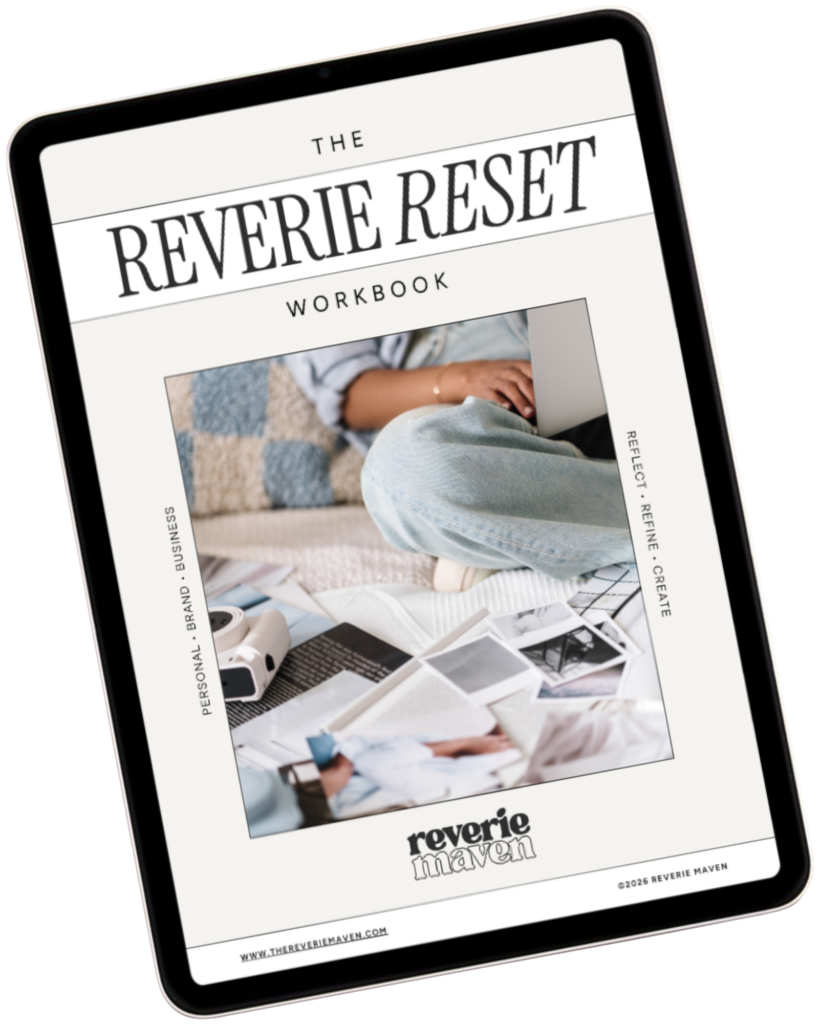
YOUR FREE STARTING POINT
Start with The Reverie Reset
A reflective workbook for reconnecting with yourself, getting clearer about what you genuinely want, and beginning to create a life and presence that feel more aligned, intentional, and fully your own.
Consider this your first step out of “someday” and toward what comes next.