A website can be beautifully designed and still feel slightly unfinished.
The photographs are lovely. The colors coordinate. The logo looks polished. Yet something about the experience does not inspire the confidence you hoped it would.
Often, the issue is not a lack of style. It is a lack of clarity, consistency, or detail.
If you want to make your small business website look more professional, you do not necessarily need a complete redesign. A handful of thoughtful improvements can change how visitors understand your business, perceive your expertise, and decide whether to take the next step.
Professional does not have to mean corporate, impersonal, or stripped of character. For a creative or lifestyle-led brand, professionalism can still feel warm, distinctive, editorial, and entirely your own. The goal is to create a website that looks considered and works beautifully, without making the visitor search for essential information.

What Makes a Website Feel Professional?
Visitors do not evaluate a website one detail at a time. They experience the cumulative effect of everything on the page.
A professional website feels:
- Clear about what the business does
- Consistent from one page to the next
- Easy to navigate
- Visually intentional
- Current and well maintained
- Comfortable to read
- Trustworthy enough to act on
- Functional across different devices
No single font, template, or color palette creates that feeling.
A simple website with strong messaging, clean spacing, and working links can feel far more credible than an elaborate site with confusing navigation and outdated information. Good design supports the decision the visitor is trying to make.
Before changing the appearance of your website, decide what you want people to understand and do. That gives every design choice a purpose.
1. Make the First Screen Immediately Clear
The top section of your homepage has an important job. Within a few moments, a new visitor should understand:
- What you offer
- Who it is for
- Why it is relevant
- What they can do next
A poetic brand statement can add personality, but it should not replace a clear explanation of the business.
“Thoughtful design for meaningful brands” may sound lovely, but it leaves several questions unanswered. Do you design websites, interiors, packaging, or events? Who do you work with? What kind of result do you create?
You do not have to fit every detail into one headline. Pair a memorable headline with a concise supporting sentence that adds the missing context.
For example:
Headline: A more polished home for your business online.
Supporting copy: Strategic website design for creative service providers ready to make their expertise easier to see, understand, and book.
The first screen should also contain one clear call to action, such as:
- Explore the services
- View the portfolio
- Book a consultation
- Shop the collection
- Start here
Avoid placing several equally prominent buttons beside one another. When every option demands attention, the visitor has to pause and decide where the journey begins.
2. Improve the Copy Before Adding More Design
Professional website design and strong website copy are closely connected. If the message is vague, visual styling can only disguise the problem for so long.
Read each important page and look for language that sounds polished but communicates very little.
Phrases such as “bringing your vision to life,” “helping you thrive,” and “creating magic” appear across many industries because they are broad enough to apply almost anywhere. They do not tell a potential client what you specifically understand, provide, or improve.
Replace vague language with useful detail.
Instead of:
“We create elevated experiences that help your business shine.”
Try:
“We design thoughtful client experiences that make booking, onboarding, and working with your business feel clear from the beginning.”
The second version gives the reader something tangible to recognize.
Write for a New Visitor
Business owners often write website copy from the perspective of someone who already understands the offer.
A new visitor does not have that context. They may not know:
- What the service includes
- Whether it is intended for them
- How the process works
- How long it takes
- What happens after they inquire
- Whether pricing is available
- Which offer they should choose
Answer the questions that influence a decision. You do not need to explain every internal detail, but you should provide enough information for a qualified visitor to recognize a potential fit.
Edit Repetition
Review adjacent sections for repeated ideas.
If your homepage introduction, about section, and services preview all say that you provide a personalized, intentional experience, the website may feel longer without becoming more informative.
Give each section one role:
- The opening establishes relevance.
- The services section explains what is available.
- The about section builds connection and authority.
- The process section makes the experience easier to imagine.
- The testimonials provide evidence.
- The final call to action directs the next step.
A page feels more polished when every section earns its place.
3. Create a Stronger Visual Hierarchy
Visual hierarchy tells the visitor what to notice first, second, and third.
Without it, every element appears equally important. Headlines compete with body copy. Buttons disappear into surrounding content. Sections blend together. The visitor may not consciously identify the problem, but the page feels harder to process.
Use size, weight, color, spacing, and placement to create a clear order.
A straightforward hierarchy might include:
- One large primary heading
- Clearly smaller section headings
- Short, readable body copy
- A restrained style for labels or introductory text
- Consistent buttons for primary actions
- A quieter treatment for secondary links
Reserve your largest text for the most important message on the page. If every section has an oversized editorial headline, none of them provides a true starting point.
Look at the page from a distance or zoom out in your browser. Can you identify the main message, major sections, and calls to action without reading every word? If not, the hierarchy may need refinement.
4. Simplify Your Typography
Typography can make a website feel expensive, expressive, approachable, traditional, or contemporary. It can also make the site look inconsistent very quickly.
For most small business websites, two typefaces are enough:
- A primary font for headings or expressive moments
- A highly readable font for body copy and functional text
A third accent style can work when used sparingly, but it should have a specific purpose. Adding a script font, another serif, and several handwritten accents simply because they are pretty usually weakens the overall system.
Consistency matters as much as font choice. Establish standard styles for:
- Main page titles
- Section headings
- Subheadings
- Body copy
- Buttons
- Navigation
- Captions or labels
Use those styles throughout the site.
Body text should be comfortable to read on both desktop and mobile. Pay attention to font size, line spacing, contrast, and paragraph width. Very small text may look refined inside a design editor but becomes tiring on a real screen.
Avoid long paragraphs set entirely in italics, scripts used for essential information, and low-contrast text placed over busy photographs. Style should never make the content harder to access.
5. Refine the Color Palette
A professional website does not need to be beige, minimal, or quiet. It does need a color system.
Choose a defined palette with clear roles, such as:
- A primary brand color
- One or two supporting colors
- A light background color
- A dark text color
- An accent color for key actions
Then use those colors consistently.
Your primary button should not be sage green on one page, burgundy on another, and outlined in black somewhere else unless those variations communicate a deliberate difference.
Pay particular attention to contrast. Light gray text on a cream background may look subtle and editorial, but it can be difficult to read. Buttons should remain recognizable as buttons, and links should be distinguishable from ordinary text.
If the website currently feels visually busy, do not begin by changing every color. Start by reducing the number of colors used within a single page and assigning a clear role to each one.
Restraint creates space for the most distinctive elements of the brand to have more impact.
6. Use Better Images, More Intentionally
Photography is one of the fastest ways to change the perceived quality of a website.
A strong image library does not have to be enormous. A smaller collection of cohesive, well-composed images will usually feel more professional than dozens of unrelated photographs.
Choose images that align in:
- Lighting
- Color temperature
- Editing style
- Subject matter
- Level of formality
- Cropping and composition
For a personal brand, include enough photographs of yourself to create recognition and connection. That does not mean placing a portrait in every section. Mix portraits with working images, relevant details, environments, products, and process-based photographs.
For a service business, avoid relying entirely on generic desk flat lays. They can support the atmosphere of the site, but they rarely explain the work on their own. Show evidence of the service, process, deliverables, environment, or point of view whenever possible.
Pay attention to how the photograph interacts with the layout. If text will appear beside an image, choose a composition with space in the appropriate area. Avoid placing text directly over the busiest part of a photograph.
Finally, compress images before uploading them and select the appropriate dimensions. Oversized image files can make an otherwise polished site feel slow and cumbersome.
7. Add More Space Than You Think You Need
Crowded pages often look less professional because nothing has room to become important.
Whitespace is not wasted space. It separates ideas, improves readability, and gives the design a sense of rhythm.
Look for places where:
- Text sits too close to the edge of the screen
- Headings touch the paragraphs beneath them
- Several buttons crowd one another
- Images and copy feel squeezed into a section
- One section begins before the previous one has visually ended
- Mobile content reaches both edges of the screen
Use consistent spacing throughout the site. Similar sections should have similar padding. Headings should maintain a predictable relationship with the copy below them. Buttons should not shift between tightly packed and unusually spacious from page to page.
Alignment matters too. If most of the page follows a left edge, an element that sits slightly outside that line may look accidental. Choose a grid and let it guide the placement of text, images, forms, and buttons.
Spacing is one of the simplest changes to make, yet it often produces the most immediate visual improvement.
8. Simplify the Navigation
Your navigation should help visitors find the most important parts of the website without presenting the entire site map at once.
For many small businesses, the primary navigation only needs links such as:
- About
- Services
- Portfolio or Work
- Blog or Resources
- Contact
Your exact structure will depend on the business, but the principle remains the same: prioritize the pages that support understanding and action.
Use labels visitors can recognize. Clever navigation language may fit the brand personality, but “The Experience” is not always as clear as “Services,” and “Let’s Connect” can mean anything from a contact form to a social media page.
If you use a creative label, make sure the destination remains obvious.
The logo should usually return visitors to the homepage. The primary call-to-action button should remain consistent. Dropdown menus should contain a manageable number of choices and work comfortably on mobile.
Review the footer as well. It is a useful home for secondary navigation, contact details, social links, legal pages, and other information that does not need to occupy the main menu.
9. Give Every Service Page Enough Substance
A beautiful services page with very little information can make a business feel less established rather than more exclusive.
Potential clients need enough detail to understand what they are considering.
A strong service page may include:
- Who the service is designed for
- The problem or need it addresses
- The result or experience it supports
- What is included
- The general process
- A timeline or level of commitment
- Relevant examples or past work
- Frequently asked questions
- Pricing or an investment starting point, when appropriate
- A clear inquiry or booking action
You do not have to publish every operational detail. The page should simply reduce the uncertainty that prevents a qualified person from taking the next step.
Avoid making the visitor open several accordion menus to understand the basic offer. Accordions are helpful for supporting details and frequently asked questions, but core information should be visible.
Review your calls to action as well. “Learn more” is acceptable when the surrounding context is clear, but more specific language often feels stronger:
- View the complete service
- See what is included
- Explore the process
- Inquire about your project
- Reserve a consultation
The button should tell the visitor what will happen after they click.
10. Add Trust Without Overloading the Page
Professional websites make it easier for visitors to verify that the business is active, credible, and capable.
Useful trust signals may include:
- Thoughtful client testimonials
- Relevant portfolio examples
- Case studies
- Recognizable qualifications or experience
- Features or press mentions
- A clear process
- Frequently asked questions
- Current contact information
- Consistent branding across platforms
- Transparent policies where appropriate
Use only trust signals you can represent accurately. Do not add vague claims, invented numbers, or decorative logos that do not reflect a genuine relationship.
Context makes testimonials more useful. A specific observation about the experience or result is more persuasive than a generic sentence saying the service was wonderful. If permission allows, include the client’s name, business, role, or relevant project details.
Do not crowd every section with evidence. Place it near the decision it supports. A testimonial about the booking experience fits naturally near the process. A result-focused quote may be more useful beside a service description or case study.
11. Make the About Page More Relevant
Your about page should create connection, but it still needs to serve the visitor.
A long personal story can be meaningful when it explains your perspective, values, or approach. If the story never returns to the client and their needs, the page may feel detached from the decision they are trying to make.
A professional about page often includes:
- A clear introduction
- Your role and area of expertise
- The perspective behind your work
- Relevant experience or qualifications
- What clients can expect from you
- Selective personal details that support connection
- A natural path toward your services or contact page
Use a current, high-quality photograph. Make sure the bio matches how you describe yourself elsewhere on the website and social platforms.
The page should sound like a person, not a résumé copied into paragraph form. Warmth and authority can exist together.
12. Make the Website Feel Current
A polished website can lose credibility when its information is visibly outdated.
Review details such as:
- Copyright year
- Current offers and pricing
- Availability
- Team biographies
- Portfolio examples
- Contact information
- Social links
- Business hours
- Event or launch dates
- Testimonials
- Frequently asked questions
- Policies
- Automated emails connected to forms
Remove “coming soon” sections that have been sitting unfinished for months. Either complete the page, replace it with a useful alternative, or remove the navigation link until the content is ready.
Check the homepage for announcements tied to past launches or seasons. Review the blog for draft placeholders, empty categories, and featured images that no longer match the visual direction of the site.
Current does not mean constantly redesigned. It means the website accurately reflects the business someone would encounter today.
13. Fix the Small Technical Details
Certain details are nearly invisible when they work and surprisingly noticeable when they do not.
Complete a technical polish check:
- Use a custom domain
- Make sure the site loads securely
- Add a favicon
- Create a clear browser title for each important page
- Test every form
- Check buttons and links
- Add helpful confirmation messages
- Create a custom 404 page
- Remove template filler and placeholder text
- Confirm social-sharing images display correctly
- Compress large images
- Add descriptive alt text where appropriate
- Check heading order
- Review color contrast
- Test keyboard navigation where possible
- Confirm legal and privacy pages are present when required
Submit your own inquiry or contact form. Confirm that the message reaches the correct inbox and that the visitor receives the intended confirmation.
If someone completes a form and sees only a small “success” label, improve the final moment. Tell them the message was received, when they can expect a reply, and what they can do next.
14. Review Every Page on Mobile
A website is not finished when the desktop version looks good.
Mobile layouts often reveal problems that are easy to miss inside a website editor:
- Headlines wrapping awkwardly
- Buttons becoming too narrow or too close together
- Images cropping important details
- Text sitting too close to screen edges
- Decorative elements covering content
- Forms requiring excessive scrolling
- Menus that are difficult to open or close
- Sections appearing in the wrong order
- Large gaps caused by desktop spacing
- Pop-ups obscuring the page
Review the actual website on a phone rather than relying only on the editor preview. Click every major button, open the menu, complete a form, and move through the site as a potential client would.
Tablet layouts deserve attention too, particularly if your website uses side-by-side columns or complex image arrangements.
Mobile refinement is not a finishing extra. It is part of the design.
How to Make Your Small Business Website Look More Professional in One Afternoon
If a full website review feels overwhelming, begin with the changes most likely to improve the experience quickly.
First hour: Clarify the homepage
- Rewrite the main headline and supporting copy
- Choose one primary call to action
- Remove repetitive sections
- Confirm the most important information appears early
Second hour: Create visual consistency
- Standardize heading and body-text styles
- Simplify the color palette
- Make all primary buttons consistent
- Correct obvious spacing and alignment issues
Third hour: Improve trust and function
- Update services and contact information
- Add or refine relevant testimonials
- Test forms, buttons, and links
- Check the mobile version of every primary page
Final 30 minutes: Complete the details
- Add a favicon
- Update the footer and copyright year
- Remove placeholders
- Compress oversized images
- Confirm social links and page titles
You may still decide that the website needs a larger strategic redesign. Even then, this review will help you understand why. You will be identifying specific problems rather than responding to the general feeling that the site is not quite right.
A Professional Website Should Still Feel Like You
Polish is not the same as perfection.
Your website does not need to imitate a much larger company or follow every current design trend. It needs to communicate clearly, behave reliably, and reflect the quality of the business it represents.
Begin with the essentials: a clear message, strong hierarchy, readable typography, thoughtful imagery, intuitive navigation, and enough information to support a decision. Then refine the small details that show care.
The result should not feel generic or overly formal. It should feel recognizably yours, only clearer, more cohesive, and easier to trust.
If your business has outgrown the website representing it, explore Reverie Maven’s services for thoughtful support creating an online presence that feels polished, intentional, and aligned with where your brand is going next.
YOUR FREE STARTING POINT
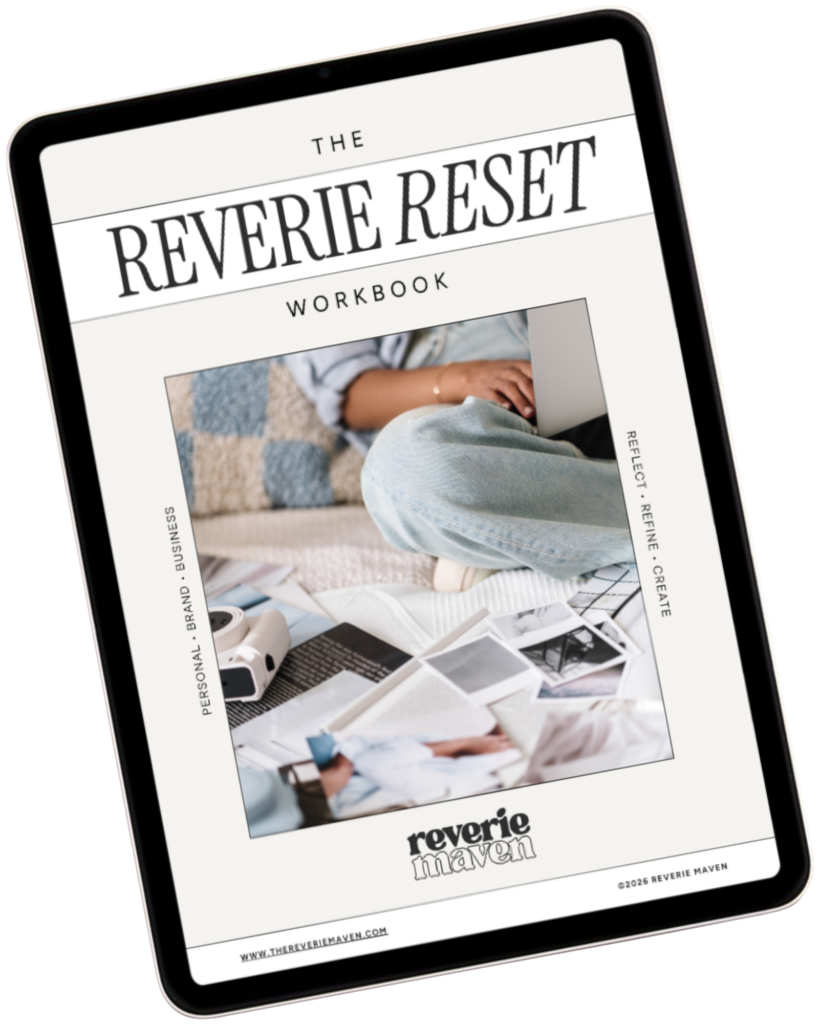
Start with The Reverie Reset
A reflective workbook for reconnecting with yourself, getting clearer about what you genuinely want, and beginning to create a life and presence that feel more aligned, intentional, and fully your own.
Consider this your first step out of “someday” and toward what comes next.