A link-in-bio page tends to begin with good intentions.
You add your website. Then a free guide. Then the latest blog post, a podcast interview, two offers, an old waitlist, and a booking link you are fairly sure still works. Before long, the page has become a small archive of everything you have promoted in the past year.
It contains plenty of options, but very little direction.
A thoughtful link-in-bio page should help someone move from passing interest to a relevant next step. It is not a miniature version of your entire website, nor does it need to account for every possible visitor. Its job is to make the most useful destinations easy to recognize and easy to reach.
When built well, this tiny page becomes one of the hardest-working parts of your online presence. It can introduce the business, guide potential clients toward an offer, grow your email list, and connect social content to the deeper resources you own.
The difference comes down to strategy, clarity, and regular maintenance.
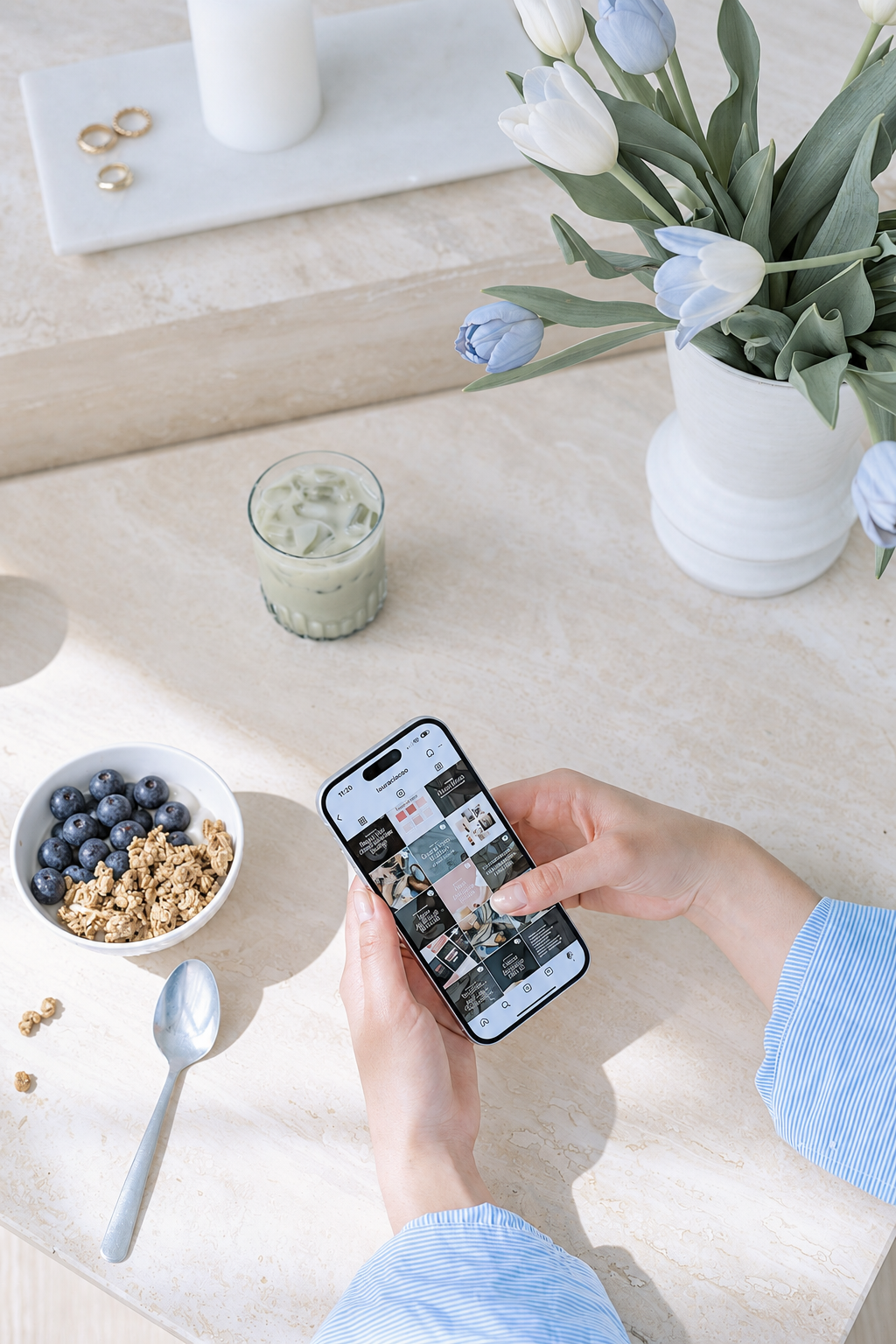
What Is a Link-in-Bio Page For?
A link-in-bio page gives social media visitors a small menu of places to go next.
That sounds simple, but the page often has to serve people with very different levels of familiarity. One person may have discovered you thirty seconds ago. Another may be ready to inquire. Someone else may be looking for the resource you mentioned in a recent post.
Your page needs to support those visitors without becoming overwhelming.
A useful link-in-bio page should:
- Confirm whose page the visitor has opened
- Briefly explain what the business offers
- Highlight the most important current action
- Provide a few relevant secondary destinations
- Feel visually connected to the rest of the brand
- Work quickly and comfortably on a phone
- Lead people toward pages you control
The page does not have to close a sale on its own. It does need to preserve interest long enough for the visitor to reach the right destination.
Decide What the Page Should Do Right Now
Before editing buttons or choosing a template, identify the page’s current priority.
What is the most valuable next step a social media visitor can take?
Depending on the business, it may be:
- Explore a signature service
- Join an email list
- Download a free resource
- Shop a current collection
- Read a featured article
- Book a consultation
- Join a waitlist
- Register for an event
- View a portfolio
Choose one primary action.
This does not mean your page can contain only one link. It means one destination receives the clearest language and most prominent placement.
Your priority may change throughout the year. An evergreen service could lead most of the time, while a launch, seasonal collection, or event takes the first position temporarily.
Write the current priority somewhere in your content plan. That small decision makes it much easier to keep the page aligned with what you are actively promoting.
Give the Page a Clear Introduction
A visitor should immediately recognize the business and understand why the links are relevant.
At the top of the page, include:
- Your name or business name
- A recognizable profile image or logo
- One concise line describing what you do
- A short call to action when appropriate
Keep the introduction brief. The page exists to help people choose a destination, not read a full biography.
For example:
Reverie Maven
Thoughtful strategy, systems, and creative support for building a more polished business.
The description adds context without delaying the links.
Use the same name and profile image that appear on the social platform whenever possible. That visual continuity reassures visitors that they reached the correct page.
If your handle does not clearly communicate the business name, this confirmation becomes even more important.
Build a Simple Link Hierarchy
Every link should not receive equal visual weight.
When six identical buttons appear in a row, the visitor has to read and evaluate every option before deciding what to do. A clear hierarchy lowers that effort.
A strong structure might look like this:
- Primary action: The current offer, service, resource, or event you most want visitors to see
- Core business destination: Your services, shop, portfolio, or primary website page
- Relationship-building destination: Your email list, newsletter, or free resource
- Current content: A timely article, video, podcast episode, or campaign
- Contact or inquiry: A direct route for qualified visitors
You may not need all five categories. Three well-chosen links can be more effective than ten loosely related ones.
Place evergreen links beneath temporary promotions. When the promotion ends, the page should still contain a logical path into the business.
Keep the Most Important Links Visible
Review the page on an average-sized phone. Ideally, the name, business description, and primary button should appear before the visitor scrolls.
If an oversized profile image, long biography, decorative graphic, or email signup form pushes every useful link below the first screen, simplify the introduction.
The design should frame the decision rather than postpone it.
Write Button Labels That Explain the Destination
Button copy should tell visitors what they will find after tapping.
Vague labels such as “Click Here,” “Learn More,” and “My Website” provide very little context. They also become confusing when several appear together.
Use specific, natural language instead:
- Explore Brand Strategy Services
- Download the Website Checklist
- Read the Latest Article
- Join the Weekly Newsletter
- View the Fall Collection
- Book a Consultation
- See Client Work
- Start With the Signature Service
Aim for clarity rather than cleverness. The label does not need to contain a complete sales message, but it should help the visitor make an informed choice.
Check that the language on the button matches the destination. If the button says “Book a Consultation,” it should not lead to a general contact page where the visitor has to determine how consultations work.
Consistency between the promise and the destination creates trust.
Use the Page to Support Your Content
Your link-in-bio page should make social content easier to act on.
If a post asks readers to visit a resource, that resource should be easy to find. Do not make someone search through a long menu for “the link mentioned in today’s post.”
You have a few options:
- Place the promoted resource first
- Add a clearly labeled “Featured” section
- Use a button that matches the language in the post
- Link directly to a curated collection of recent content
- Update the primary button whenever a major promotion changes
For example, if your caption says, “Read the complete client onboarding guide through the link in bio,” the button should say something recognizable, such as “Read the Client Onboarding Guide.”
Avoid labels such as “New!” without explaining what is new. That label will become inaccurate quickly and offers little meaning to someone arriving from a different post.
A short, specific button makes the transition from content to destination feel seamless.
Lead People Toward Platforms You Own
Social platforms are useful places for discovery, but they are not the ideal home for every relationship.
Your link-in-bio page should create natural paths toward assets you control, such as:
- Your website
- Email list
- Blog
- Shop
- Portfolio
- Booking or inquiry system
- Member library
- Customer or client portal
This does not mean every visitor needs to leave social media immediately. It means your page should offer a deeper way to connect than following another profile on another platform.
An email signup can be especially useful when it offers a clear reason to subscribe. “Join my list” is technically accurate, but it does not tell the visitor what they will receive.
Clarify the value:
- Receive thoughtful business notes twice a month
- Get the launch planning checklist
- Join for new articles, resources, and studio updates
- Receive first access to new collections
Only promise a frequency or benefit you intend to maintain.
Make the Design Feel Like Part of Your Brand
Your link page is small, but it is still a branded experience.
Use:
- Your established colors
- One or two brand typefaces when the platform allows
- A current profile photograph or logo
- Consistent image editing
- Button shapes that relate to your website
- A familiar tone of voice
Resist the urge to use every available customization option. Decorative backgrounds, animations, thumbnails, gradients, shadows, and multiple button styles can quickly compete with the links themselves.
Choose a restrained design system and apply it consistently.
The page should feel connected to your website without needing to reproduce it exactly. Social profile visitors are already moving through a smaller, faster experience. Preserve the visual recognition while keeping the function simple.
Check Readability Before Aesthetics
Low-contrast colors often look elegant in a design mockup and become difficult to read on a phone in bright daylight.
Confirm that:
- Text has sufficient contrast against the background
- Button labels are easy to read
- Interactive elements are clearly recognizable
- Fonts remain legible at small sizes
- Text is not embedded in images unnecessarily
- Important information does not depend on color alone
A beautiful page that requires extra effort to use is not an elevated experience.
Choose Images With a Purpose
Some link-in-bio platforms allow a thumbnail for every button. That does not mean every link needs one.
Images can help visitors distinguish products, articles, or content categories. They can also create visual clutter, especially when the photographs have different colors, crops, or styles.
Use thumbnails when they add recognizable context:
- A product photograph for a featured item
- A consistent article image for recent posts
- A recognizable cover for a guide
- A project image for a portfolio feature
Skip them when the text already communicates the destination clearly.
If you use images, crop them consistently and check how they appear on a phone. Tiny text, detailed graphics, and full-page mockups often become unreadable at thumbnail size.
Treat Mobile Experience as the Main Experience
A link-in-bio page is usually opened from a phone. Design it accordingly.
Test the live page on more than one screen size when possible.
Check:
- How quickly the page loads
- Whether the first button appears promptly
- Whether buttons are comfortable to tap
- Whether text wraps cleanly
- Whether forms fit the screen
- Whether images are properly cropped
- Whether pop-ups block the page
- Whether external pages open correctly
- Whether the browser back button returns visitors to the link page
Continue testing beyond the link page itself. A polished button that leads to a slow, confusing, or desktop-only landing page does not create a polished journey.
Follow each major path from beginning to end. If the page invites visitors to download a guide, submit the form and confirm delivery. If it promotes a consultation, open the scheduler and review the available information.
The link page is only the beginning of the experience.
Add Trust Without Making the Page Busy
A link-in-bio page has limited space, so trust signals should be concise.
Depending on the business, you might include:
- A professional profile image
- A one-line description of your expertise
- A link to client work or a portfolio
- A short, specific testimonial
- A relevant credential
- A press or feature page
- A direct link to your primary website
Only include information that can be represented accurately and understood quickly.
Avoid filling the page with logos or lengthy testimonials simply to make the business appear established. The page should create enough confidence for the visitor to continue, while your website provides the fuller story.
Track What People Actually Use
Your link-in-bio analytics do not need to become another elaborate reporting project.
Review a small set of useful information:
- Total page visits
- Clicks by link
- Click-through rate when available
- Changes during promotions
- Links that receive little or no engagement
- Traffic or conversions on the destination page
Numbers need context. A contact link may receive fewer clicks than a free resource while producing more valuable inquiries. A temporary launch link may perform well for two weeks and then naturally decline.
Use the data to answer practical questions:
- Is the primary link receiving attention?
- Are people clicking links below the first screen?
- Does a button label need to be clearer?
- Is an old link still earning its place?
- Does social traffic continue on the destination page?
- Which types of content create meaningful action?
Do not keep a link simply because it has always been there. If it no longer supports the visitor or the business, remove it.
Maintain the Page Like a Tiny Website
A link-in-bio page is easy to create and just as easy to forget.
Add it to your regular online presence review.
Check for:
- Expired launches
- Closed enrollment periods
- Old event registrations
- Outdated service names
- Broken downloads
- Incorrect prices
- Past seasonal language
- Inactive scheduling links
- Former partnerships
- Offers you no longer sell
- New priorities that are missing
Test every link after making updates. Review the page while logged out so you see the public experience rather than the editing view.
A five-minute monthly check is usually enough to keep the page current. Complete an additional review before a launch, event, media feature, or major content campaign.

Link-in-Bio Page Examples by Business Type
The right structure depends on the business. Use these examples as starting points, not rigid templates.
For a Service Provider
- Work With Me: Explore the Services
- Start Here: View the Signature Offer
- Download the Free Resource
- Read the Latest Article
- Submit a Project Inquiry
This structure moves visitors from understanding the offer to building trust and making contact.
For a Personal Brand
- Read the Latest Newsletter
- Join the Email List
- Explore Recommended Resources
- Listen to the Latest Interview
- Work With Me
A personal brand may need a wider content ecosystem, but the primary invitation should still be clear.
For a Product-Based Business
- Shop the New Collection
- Browse All Products
- Find Your Best Match
- Join for New Releases
- Read Shipping and Order Information
Prioritize shopping paths and customer questions over unrelated content.
During a Launch
- Join or Buy the Featured Offer
- See What Is Included
- Read Frequently Asked Questions
- Attend the Free Event
- Explore the Main Website
Place the current offer first, then provide the information needed to make a decision. Remove or reposition the launch links when the promotion ends.
Common Link-in-Bio Mistakes
Too Many Choices
A long collection of links transfers the work of prioritizing to the visitor. Keep the page focused on current, valuable destinations.
No Context
A logo and several buttons may not be enough for a new visitor. Add one concise line explaining who you are and what the business offers.
Duplicate Destinations
“Visit My Website,” “Learn More,” and “Explore the Brand” may all lead to the same homepage. Keep the clearest option and use the remaining space for something useful.
Outdated Promotions
An expired event or closed offer makes the page feel unattended. Remove time-sensitive links promptly or replace them with a waitlist when appropriate.
Vague Button Copy
A visitor should not have to tap a link to discover what it means. Use labels that describe the destination.
Too Much Decoration
If the visitor notices the background animation before the primary action, the design may be competing with the page’s purpose.
Sending Everyone to the Homepage
Your homepage is useful, but it is not always the most relevant destination. Link directly to the service, article, product, or resource mentioned in your content.
Your Link-in-Bio Page Checklist
Before publishing or updating your page, confirm that:
- Your name or business name is immediately visible
- The profile image matches your active social profiles
- The introduction clearly explains what you do
- One primary action has visual priority
- Button labels describe their destinations
- The most important links appear near the top
- Every link works
- Temporary promotions are current
- The visual style feels connected to your brand
- Text and buttons are easy to read
- The page works smoothly on mobile
- Destination pages are also mobile-friendly
- The page includes at least one path to a platform you own
- Analytics are available when useful
- A recurring review is scheduled
A Small Page Can Create a Much Clearer Path
Your link-in-bio page does not need to contain everything.
It needs to help the right person find the right next step.
Choose one current priority. Support it with a few relevant destinations. Write clear button labels, maintain visual consistency, and test the complete journey on a phone.
The result is a page that feels less like a collection of links and more like a thoughtful introduction to the business.
If your online presence has grown into a collection of disconnected pages, profiles, and offers, explore Reverie Maven’s services for thoughtful support creating a clearer and more cohesive digital experience.
YOUR FREE STARTING POINT
Start with The Reverie Reset
A reflective workbook for reconnecting with yourself, getting clearer about what you genuinely want, and beginning to create a life and presence that feel more aligned, intentional, and fully your own.
Consider this your first step out of “someday” and toward what comes next.